 Bojan
BojanBuilding a Bulk Import System That Handles 10,000+ Rows Without Crashing
The Night I Realized PHP Can’t Save You It was 2:00 AM. I was testing a bulk import feature that should’ve just worked. Then I hit “Import” on a CSV with 5,000 rows. Blank screen. Fatal error: Allowed memory size exhausted. I had just crashed my own app. And all I wanted to do was
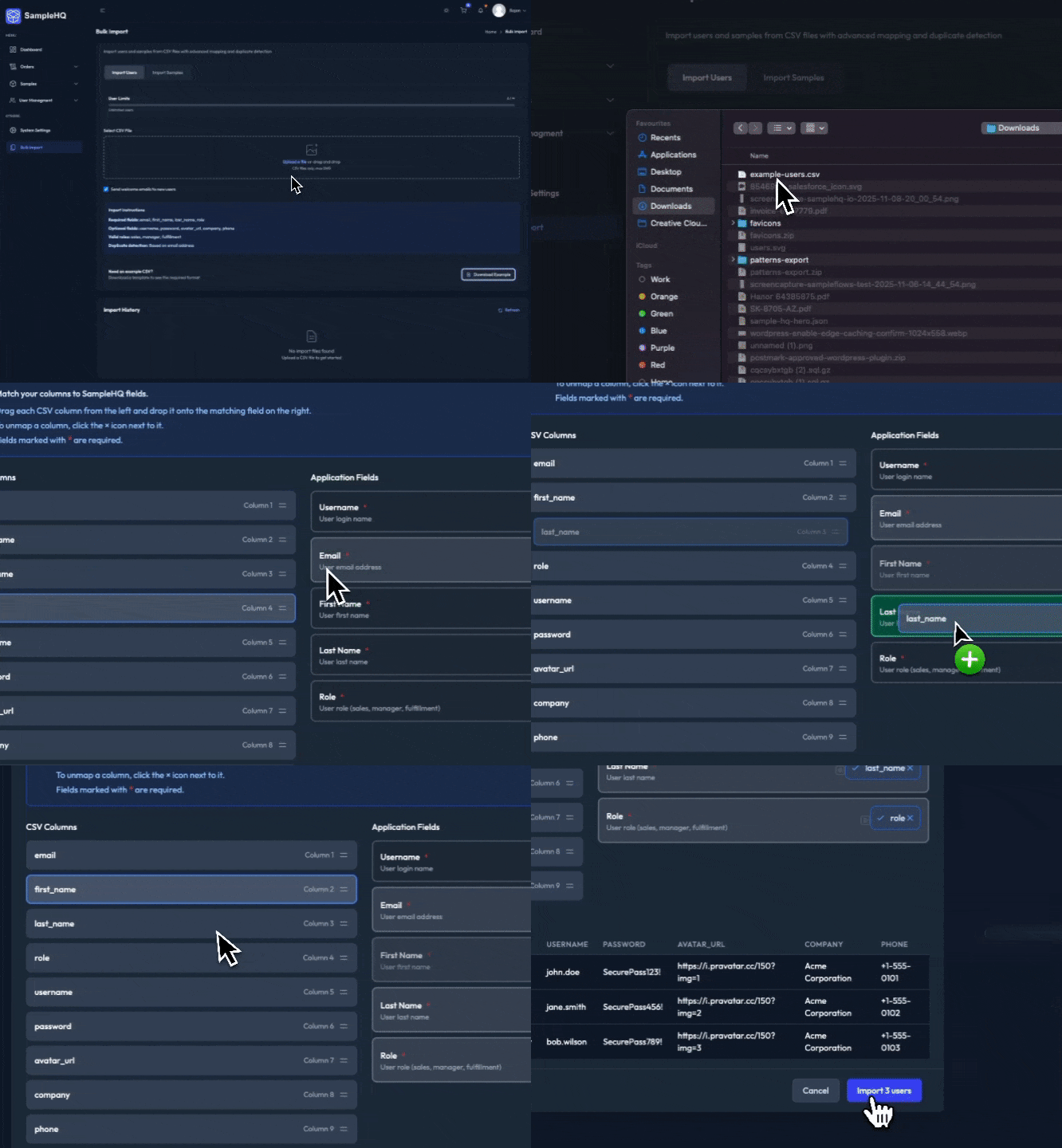
The Night I Realized PHP Can’t Save You
It was 2:00 AM.
I was testing a bulk import feature that should’ve just worked.
Then I hit “Import” on a CSV with 5,000 rows.
Blank screen.
Fatal error: Allowed memory size exhausted.
I had just crashed my own app.
And all I wanted to do was read a CSV file.
That moment forced me to completely rethink how imports work.
Not just “optimize” it, but rebuild it so it could scale from a few hundred rows to tens of thousands — inside WordPress — without relying on queue workers or external services.
Here’s how I built a bulk import system that can process 10,000+ rows without crashing, using nothing but smart chunking, session management, and a bit of patience.
The Core Rule: Never Read the Whole File
Most CSV imports fail because developers do this:
// ❌ Reads entire file into memory
$rows = file($csv_file);
foreach ($rows as $row) {
    process_row($row);
}
It’s convenient — until you hit a 50 MB CSV and PHP dies quietly.
The fix is simple: stream it.
// ✅ Stream it, don’t load it
$handle = fopen($csv_file, 'r');
while (($row = fgetcsv($handle)) !== false) {
    process_row($row);
}
fclose($handle);
But even streaming isn’t enough.
You can still hit execution timeouts or run out of memory if your processing logic is complex.
That’s where chunking comes in.
Chunked Processing: The Secret Weapon
The idea is to read the file in small, predictable batches — say, 10 rows at a time — process them, save progress, and move on.
Each chunk becomes an independent job.
$handle = fopen($csv_file, 'r');
$chunk_size = 10;
$offset = 0;

while (!feof($handle)) {
    $chunk = read_chunk($handle, $offset, $chunk_size);
    process_chunk($chunk);
    $offset += $chunk_size;
}
fclose($handle);
This one concept — never process everything at once — changes everything.
The Chunked CSV Reader
The real trick is reading specific parts of a CSV without keeping the entire thing in memory.
function parse_csv_chunk($file_path, $offset, $chunk_size) {
    $handle = fopen($file_path, 'r');
    if (!$handle) return [];

    $headers = fgetcsv($handle);
    $data = [];

    // Skip rows before offset
    for ($i = 0; $i < $offset && !feof($handle); $i++) {
        fgetcsv($handle);
    }

    // Read only the next chunk
    for ($i = 0; $i < $chunk_size && !feof($handle); $i++) {
        $row = fgetcsv($handle);
        if ($row) $data[] = array_combine($headers, $row);
    }

    fclose($handle);
    return $data;
}
This approach gives you full control.
You can pause, resume, skip, retry, or parallelize processing later.
Turning It Into a Reliable Pipeline
Once chunking worked, the next step was creating a processing pipeline that handled each chunk through AJAX requests, with full progress tracking.
Each request processes a single batch of rows, updates a transient (a lightweight WordPress key-value store), and sends progress back to the browser.
function process_import_chunk($session_id, $offset, $chunk_size) {
    $session = get_transient('import_' . $session_id);
    $file = $session['file_path'];

    $rows = parse_csv_chunk($file, $offset, $chunk_size);
    $results = [];

    foreach ($rows as $row) {
        $results[] = import_row($row);
    }

    $session['results'][] = $results;
    $session['progress'] = $offset + $chunk_size;
    set_transient('import_' . $session_id, $session, DAY_IN_SECONDS);

    return ['progress' => $session['progress']];
}
On the frontend, it’s just a small loop that keeps calling until done:
for (let i = 0; i < totalChunks; i++) {
  await fetch('/wp-admin/admin-ajax.php?action=process_chunk', {
    method: 'POST',
    body: new URLSearchParams({ offset: i * 10, size: 10 })
  });
  updateProgress(i / totalChunks * 100);
}
Each chunk runs independently. No memory buildup. No long-running requests. No timeouts.
Why This Works
- Each chunk stays under a few hundred kilobytes in memory
- Each request runs for just a few seconds
- State is stored externally (transients, Redis, database, etc.)
- The system can resume exactly where it left off
It’s not multithreading. It’s just practical parallelization using short, repeatable tasks.
Handling 10,000 Rows Feels Boring Now
Once the system was stable, 10,000-row imports became routine.
- Memory usage stays below 50 MB
- Average chunk time: 0.3–0.5 seconds
- No crashes, no manual restarts
- Every import is resumable
And it all runs inside plain PHP on a shared host. No queues, no workers, no Laravel Horizon, no Redis jobs. Just WordPress, transients, and chunked AJAX.
The Small Details That Make It Work
-
Chunk size tuning: 10–20 rows is usually ideal. Larger chunks increase risk, smaller chunks add overhead.
-
Manual garbage collection: after each chunk:
unset($rows); gc_collect_cycles(); -
Progress tracking: simple percentage = processed / total.
-
Resume logic: count already-processed rows and start from the next offset.
-
Optional throttling: add
usleep(100000)(0.1s delay) to avoid hammering the server.
Lessons Learned
- Most “slow” imports are really memory problems.
- Reading files in chunks fixes 90% of it.
- AJAX chunk loops are enough for distributed processing if designed right.
- You don’t need queues for small-scale SaaS tasks.
- Simplicity scales better than overengineering.
Why This Matters
Everyone talks about scaling databases, APIs, and caching.
But scaling a basic file import is one of the hardest things to get right.
It’s where PHP hits its limits, and it forces you to actually understand how memory and execution time work.
The next time you see a CSV upload feature, remember — behind it, there’s probably a developer who stayed up all night figuring out how to process 10,000 rows without breaking the server.